

Keypad Library
Keypad, written by Mark Stanley and Alexander Brevig, allows you to connect a Keypad with row-column matrix wiring.
| Download: |
Included with the Teensyduino Installer Latest Developments on Github |
Hardware Requirements
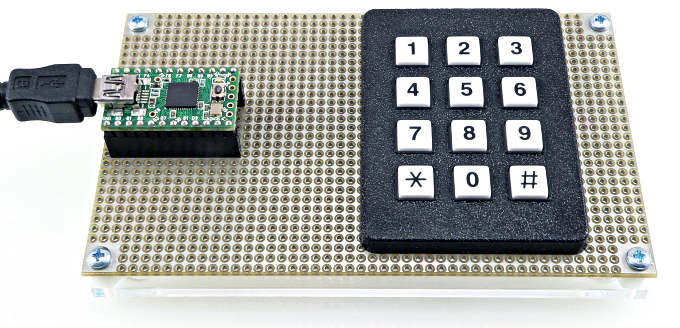 |
Example Use
This example can be opened from the menu: File > Examples > Keypad > HelloKeypad
#include <Keypad.h>

const byte ROWS = 4; //four rows
const byte COLS = 3; //three columns
char keys[ROWS][COLS] = {
  {'1','2','3'},
  {'4','5','6'},
  {'7','8','9'},
  {'#','0','*'}
};
byte rowPins[ROWS] = {5, 4, 3, 2}; //connect to the row pinouts of the keypad
byte colPins[COLS] = {8, 7, 6}; //connect to the column pinouts of the keypad

Keypad keypad = Keypad( makeKeymap(keys), rowPins, colPins, ROWS, COLS );

void setup(){
  Serial.begin(9600);
}

void loop(){
  char key = keypad.getKey();

  if (key != NO_KEY){
    Serial.println(key);
  }
}
In this screenshot, each key was pressed once.
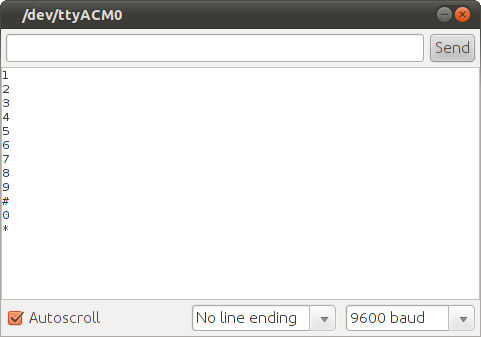 Each key pressed once. |
More Hardware Pictures
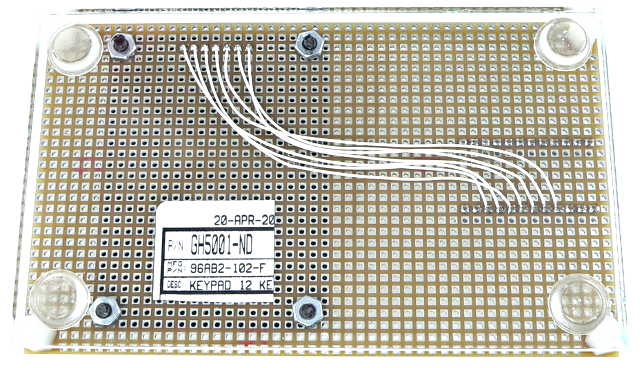 Bottom side wiring, 7 signals between keypad and Teensy |
Multiple Keys & Key Events
The getKey() function is simple and easy to use, but it can only report a single key.Keypad can detect multiple keys pressed simultaneously. Keypad can also report events, when each key is pressed, held, released, and idle after being released. An example for this more advanced usage can be opened from the menu: File > Examples > Keypad > MultiKey.