

Converting To 3.3 Volts
Teensy 2.0 and Teensy++ have a place to solder a 3.3 volt regulator to convert the Teensy to run at 3.3 volts.While the photos below show Teensy 2.0, this same process works on Teensy++ 2.0.
Hardware Modification
The voltage regulator is added to the bottom side, under the USB connector.
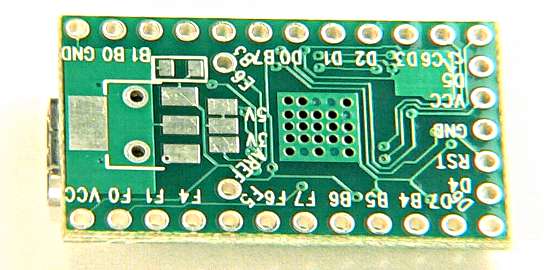
The first step is to solder a MCP1825 voltage regulator to the bottom side. The full part number is "MCP1825S-3302E/DB".
When soldering, the 3 smaller pins are easiest to solder first. The large tab solders to a small ground plane that acts as a heatsink for the regulator, and also your soldering iron. Extra time in contact with the iron is usually necessary to heat it to proper soldering temperature.
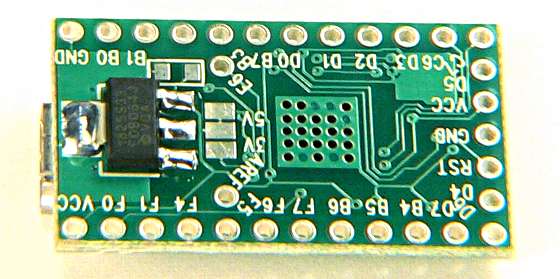
After the regulator is added, the 2 pads labeled "5V" must be cut apart. This removes the 5 volt input from powering the processor. Be careful to cut only between the pads and avoid severing nearby signals.
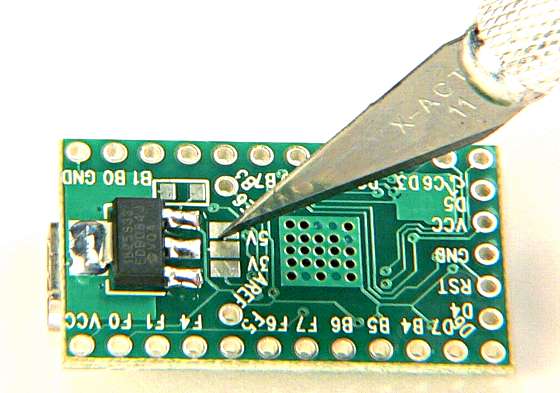
Finally, the 2 pads labeled "3V" need to be shorted together with solder. This connects the regulator output to the processor's power pins.
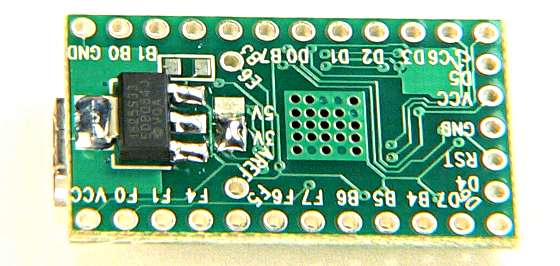
If you decide to switch back to 5 volts, the regulator does not need to be removed. Just separate the "3V" pads and solder the "5V" pads together.
Teensyduino, Configuration
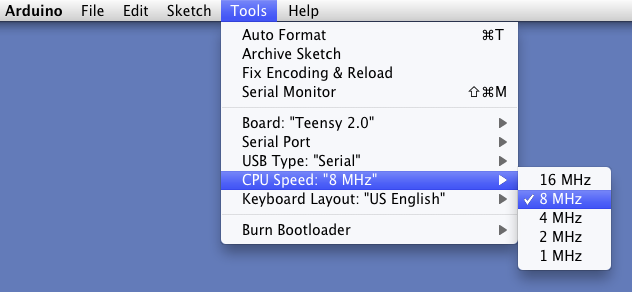
The AVR processor is not specified to run faster than 8 MHz when running at 3.3 volts. Even though it often can operate at 16 MHz at room temperature, technically that's "overclocking". For best reliability, 8 MHz or slower should be used.Using Arduino, you can change the speed your Teensy runs at using the Tools > CPU Speed menu.
C Language, Configuration
You do NOT need to replace the 16 MHz crystal. Just set the CPU prescaler to 0x01 so the processor runs at 8 MHz.
#define CPU_PRESCALE(n) (CLKPR = 0x80, CLKPR = (n))

int main(void)
{
        // set for 8 MHz clock because 3.3 volts
        CPU_PRESCALE(0x01);

	// rest of program....
You also need to edit your Makefile to change F_CPU to 8000000.
# Processor frequency.
#   Normally the first thing your program should do is set the clock prescaler,
#   so your program will run at the correct speed.  You should also set this
#   variable to same clock speed.  The _delay_ms() macro uses this, and many
#   examples use this variable to calculate timings.  Do not add a "UL" here.
F_CPU = 8000000