|
|
Step #2: The Teensy Loader Application
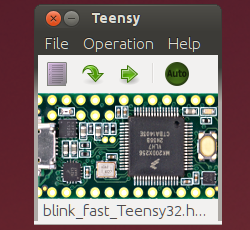
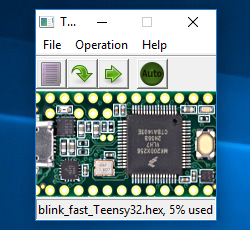
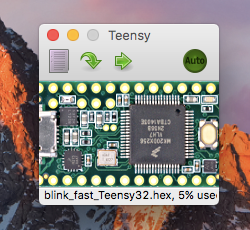
The Teensy Loader program communicates with your Teensy board when the HalfKay
bootloader is running, so you can download new programs and run them.
Update: Teensy 3.0 is supported by Teensyduino. After installation, Teensy Loader is in hardware/tools. It is run automatically when using Verify or Upload within the Arduino software.
Teensy Loader is available for these operating systems:
Command Line Version
The Teensy Loader is also available in a
command line version for advanced users. It works on Mac, Windows, Linux and BSD Unix.
Revision History
The Teensy Loader version is shown in the About window, available from the Help menu, or "Teensy" menu on Mac OS X.
1.06
- Fix off-screen issues with Windows multiple monitor desktops
- Support for Teensyduino 0.9
1.05
- Support Teensy 2.0 board
- Improve .elf chip detection
- Program EEPROM, if found in .elf file
1.04
- Do not program when .elf file is clearly compiled for the wrong chip
- Display Teensy++ image when communicating with a Teensy++ board
- More careful program close, hopefully fixes crash-on-quit on Mac OS X
1.03
- Wait for reboot, (hopefully) solves incorrect auto mode disable, especially on Windows
- More status reported to Teensyduino (to be used by version 0.4)
- Fix memory leaks on Mac OS X
1.02
- More remote control features (for Teensyduino 0.2)
- Never show "stale lock" message at startup on Mac OS X and Linux
- Add support for AT90USB646 chip
1.01
- Add remote control support (for Teensyduino)
- Add universal binary for Mac OS X
- Fix drag and drop on Mac OS X
- Fix filename disappearing on Linux and Windows
- USB HID messages now appear in verbose info window
1.00
|