

Checking HalfKay on Macintosh OS X
Select "About This Mac" from the Apple menu, and then click the "More Info..." button to launch the System Profiler. Then click on "USB" on the left side list, and the upper right panel will become "USB Device Tree".
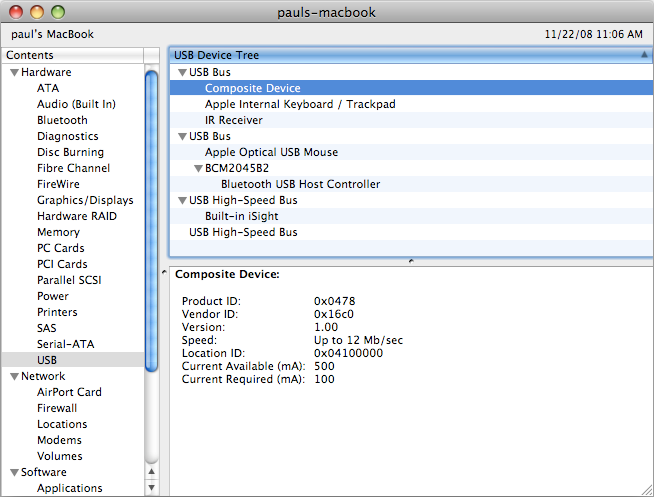
The HalfKay is shown as "Composite Device". When it is selected, the lower right panel will show its properites. You should see 0x0478 and 0x16c0 as the Product and Vendor ID.
If you connect the Teensy and press the button to run HalfKay after the System Profiler window is opened, select Refresh from the View menu.